Choosing the right image editing software can feel confusing, especially with so many options available today. Some tools are simple and beginner-friendly, while others offer advanced features for professionals. Whether you are editing photos for social media, real estate, eCommerce, or creative projects, the right software can make your work easier and more effective.
In 2026, image editing tools are more powerful than ever. Many now include AI features, faster workflows, and user-friendly interfaces. This guide compares the most popular image editing software, explains their strengths, and helps you decide which one suits your needs.
Why Image Editing Software Matters
Good editing can completely change the look of an image. Even a simple photo can become more attractive with proper lighting, color balance, and small adjustments.
Image editing software helps with:
- Improving image quality
- Adjusting brightness and colors
- Removing unwanted objects
- Enhancing details
- Creating professional visuals
For businesses, high-quality images can improve branding and attract more customers.
Key Factors to Consider Before Choosing Software
Before selecting any tool, it is important to understand what you actually need.
Ease of Use
Some software is designed for beginners, while others require experience.
Features
Different tools offer different features like retouching, color grading, or AI editing.
Budget
Some tools are free, while others require a subscription.
Performance
Fast and smooth performance is important, especially for large files.
Compatibility
Make sure the software works on your device and operating system.
Top Image Editing Software in 2026
Here is a comparison of the most widely used image editing tools.
Adobe Photoshop
Adobe Photoshop is one of the most powerful editing tools available.
Best For:
- Professional photographers
- Designers
- Advanced editing
Key Features:
- Advanced retouching
- Object removal
- Layer-based editing
- AI-powered tools
Pros:
- Highly flexible
- Industry standard
- Wide range of tools
Cons:
- Requires learning
- Monthly subscription
Photoshop is ideal for detailed editing, especially for real estate and product photography.
Canva
Canva is a simple and popular tool for beginners.
Best For:
- Social media content
- Quick designs
Key Features:
- Drag-and-drop editing
- Templates
- Basic photo adjustments
Pros:
- Very easy to use
- Free version available
- No technical skills needed
Cons:
- Limited advanced editing
Canva is perfect for simple edits and quick projects.
GIMP
GIMP is a free alternative to Photoshop.
Best For:
- Budget users
- Intermediate editing
Key Features:
- Layer editing
- Custom tools
- Plugins
Pros:
- Free to use
- Good range of features
Cons:
- Interface can feel outdated
- Learning curve for beginners
GIMP is a good option if you want powerful tools without paying.
Affinity Photo
Affinity Photo is a strong competitor to Photoshop.
Best For:
- Professional editing
- One-time purchase users
Key Features:
- Advanced retouching
- HDR editing
- Fast performance
Pros:
- No subscription
- High performance
- Professional tools
Cons:
- Smaller community compared to Adobe
Affinity Photo offers great value for money.+
Fotor
Fotor is an online editing tool.
Best For:
- Quick edits
- Beginners
Key Features:
- Filters
- Basic adjustments
- Online access
Pros:
- Easy to use
- Accessible from browser
Cons:
- Limited advanced tools
Fotor is useful for simple tasks.
Pixlr
Pixlr is another browser-based editor.
Best For:
- Quick editing
- Lightweight use
Key Features:
- Basic editing tools
- AI features
- Online platform
Pros:
- No installation needed
- Fast and simple
Cons:
- Not suitable for heavy editing
Pixlr is ideal for quick fixes.
AI-Powered Editing Tools (New Trend)
In 2026, AI tools are changing image editing.
Popular tools include:
- Remove background automatically
- Enhance images with one click
- Generate new visuals
These tools save time and simplify editing, especially for beginners.
Comparison Summary
Here’s a simple comparison:
- Photoshop: Best for advanced editing
- Lightroom: Best for photo workflow
- Canva: Best for beginners
- GIMP: Best free alternative
- Affinity Photo: Best one-time purchase
- Pixlr / Fotor: Best for quick edits
Which Software Should You Choose?
The best software depends on your needs.
- For professional work → Photoshop or Affinity Photo
- For quick photo edits → Lightroom
- For beginners → Canva or Pixlr
- For free option → GIMP
Choose based on your skill level and purpose.
Tips for Better Image Editing
No matter which tool you use, these tips can help:
- Keep edits natural
- Avoid over-editing
- Focus on lighting
- Use high-quality images
- Practice regularly
Good editing is about balance and detail.
Future of Image Editing Software
Image editing will continue to evolve. AI will make tools faster and easier to use. At the same time, human creativity will remain important.
In the future:
- Editing will become more automated
- Tools will be more user-friendly
- New features will improve workflow
Conclusion.
Image editing software plays an important role in modern content creation. From simple edits to professional work, the right tool can improve your results.
Each software has its strengths. Understanding your needs and choosing the right tool will help you work more efficiently.
Whether you are a beginner or a professional, learning image editing is a valuable skill in today’s digital world.
Upgrade Your Visuals with AI & Professional Photography
In today’s digital world, visuals are more important than ever. Businesses are not only relying on traditional photography but also using AI-powered techniques to create cleaner, sharper, and more engaging images.
At The Focus Craft, we combine professional photography with modern visual approaches to deliver images that look natural, polished, and ready to perform.
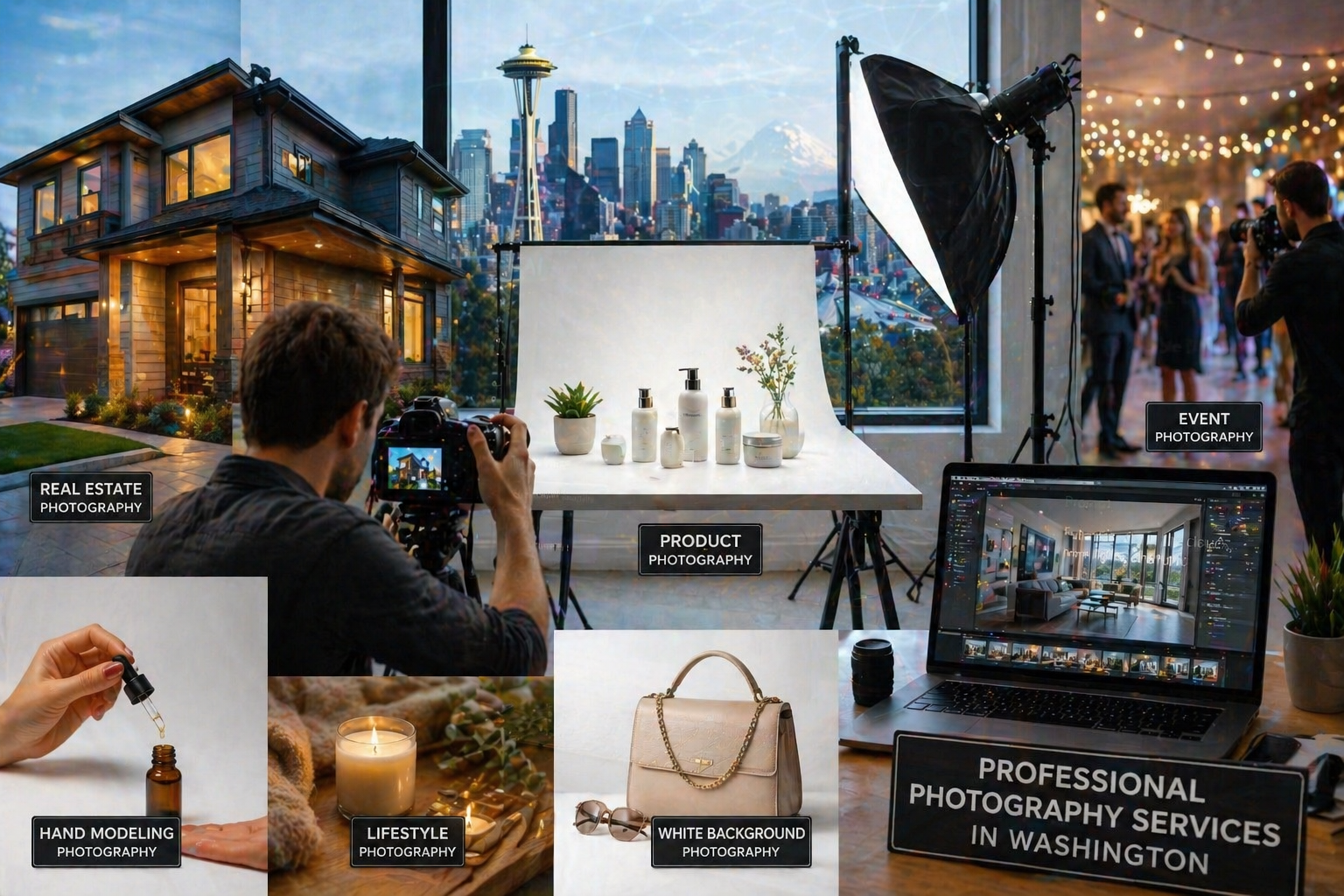
Our Services Include:
- Real Estate Photography – Bright, clean property images that attract buyers and improve listings
- Amazon Product Photos – Optimized visuals designed to increase product visibility and conversions
- Hand Modeling Product Photography – Natural interaction shots that highlight product use and detail
- Lifestyle Product Photography – Creative images that connect products with real-life situations
- White Background Product Photography – Simple and professional images perfect for eCommerce platforms
- Event Photography – Capturing real moments with clarity and a natural feel
By combining creativity with modern tools and techniques, we help businesses create visuals that stand out in a competitive market.
If you’re ready to improve your brand visuals with a smarter and more modern approach, The Focus Craft is here to support your next project.