How I Photograph The Northern Lights With My Phone — By An Expert
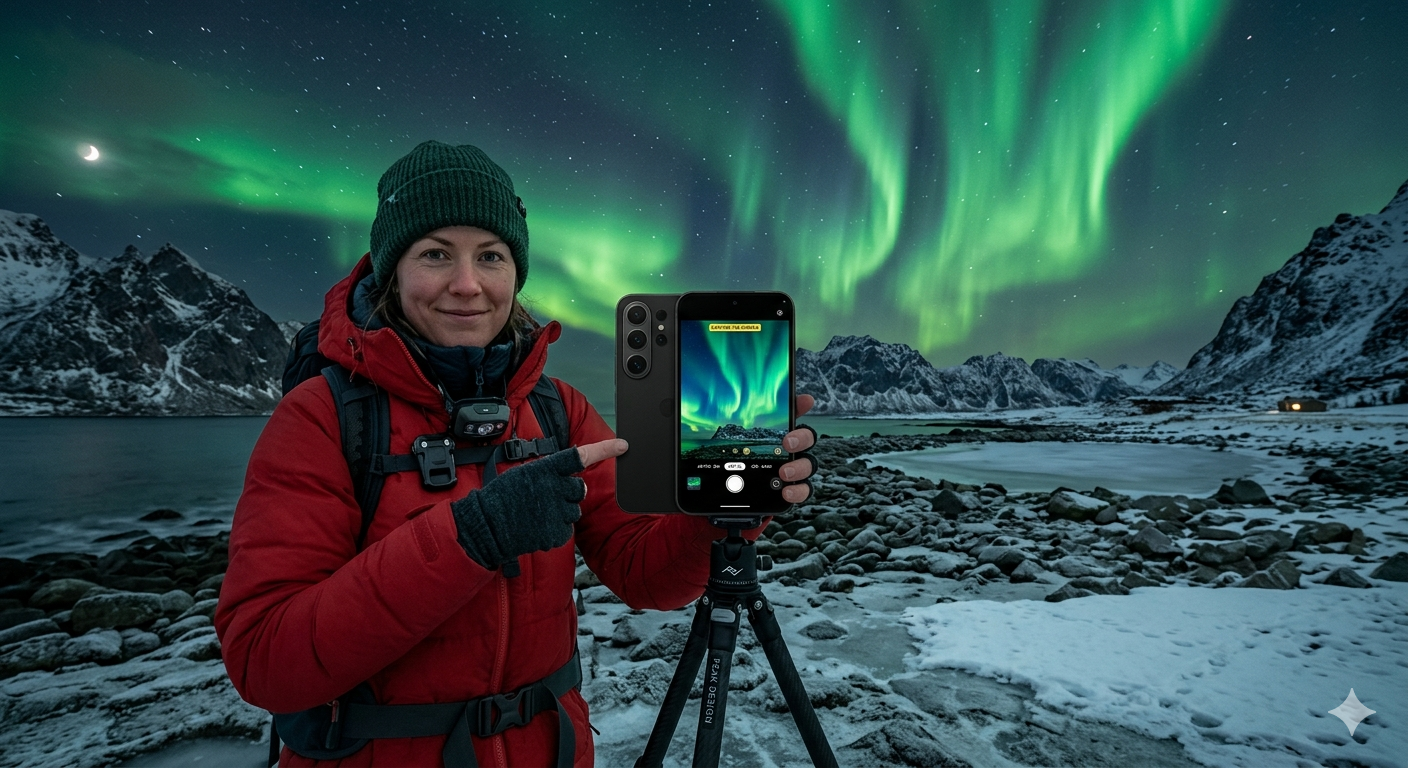
The Northern Lights, also known as the Aurora Borealis, are among the most breathtaking natural phenomena on Earth. Their vibrant green, purple, pink, and blue colors dancing across the night sky attract millions of travelers and photographers every year. While professional cameras have traditionally been the preferred choice for capturing auroras, today’s smartphones have become powerful enough to produce stunning Northern Lights photos when used correctly.
Modern smartphones feature advanced night modes, artificial intelligence image processing, larger sensors, and long-exposure capabilities that make aurora photography more accessible than ever before. With the right techniques, settings, and preparation, even beginners can capture incredible images of the Northern Lights using only their phones.
In this guide, you’ll learn expert tips for photographing the Northern Lights with a smartphone, including the best settings, equipment, shooting techniques, and common mistakes to avoid.
Why Smartphones Are Better Than Ever for Northern Lights Photography
A few years ago, photographing the Northern Lights with a phone was nearly impossible. Smartphone cameras struggled in low-light environments and produced grainy, blurry images.
Today, things have changed dramatically.
Modern smartphones now offer:
- Advanced Night Mode
- AI-powered image processing
- Improved low-light sensors
- Long exposure photography
- RAW image support
- Optical image stabilization
- High-resolution lenses
These improvements allow smartphones to capture far more detail in dark environments than ever before.
As a result, many travelers now leave bulky camera equipment at home and rely entirely on their phones.
Understanding the Northern Lights
Before taking photos, it’s important to understand what you’re photographing.
The Northern Lights occur when charged particles from the sun collide with gases in Earth’s atmosphere. These collisions create colorful light displays that appear in the sky, particularly near the Arctic Circle.
Auroras can vary greatly in brightness.
Sometimes they appear as faint green bands, while other times they explode into bright curtains of moving colors visible to the naked eye.
The brighter the aurora, the easier it becomes to photograph with a smartphone.
Best Smartphones for Aurora Photography
Not all smartphones perform equally in low-light conditions.
Some of the best phones for Northern Lights photography include:
iPhone Models
Recent iPhone Pro models offer exceptional Night Mode performance and advanced computational photography.
Samsung Galaxy Devices
Samsung’s flagship Galaxy phones provide excellent low-light capabilities and manual camera controls.
Google Pixel Phones
Pixel devices are known for industry-leading night photography and AI image processing.
Other Flagship Smartphones
Many modern premium smartphones include specialized night photography features suitable for aurora photography.
The key factor is not necessarily the brand but the phone’s ability to capture long-exposure images.
Check the Aurora Forecast Before You Go
One of the biggest mistakes beginners make is heading out without checking aurora activity forecasts.
Aurora forecasting services help predict:
- Solar activity levels
- Geomagnetic storm intensity
- Cloud cover
- Visibility conditions
- Best viewing times
A strong aurora forecast significantly increases your chances of capturing spectacular images.
Experts recommend monitoring forecasts several days before your planned photography session.
Find a Dark Location
Light pollution is one of the biggest enemies of aurora photography.
City lights reduce contrast and make auroras appear less vibrant.
For the best results:
- Travel away from cities
- Avoid streetlights
- Seek remote locations
- Visit dark-sky parks
- Find open areas with clear horizons
The darker your surroundings, the better your photos will look.
Use a Tripod for Sharp Images
A tripod is arguably the most important accessory for Northern Lights photography.
Aurora photos require longer exposure times, meaning your camera must remain perfectly still.
Even slight hand movement can cause:
- Blurry images
- Reduced detail
- Poor sharpness
- Increased image noise
Compact smartphone tripods are inexpensive and dramatically improve photo quality.
Many experts consider a tripod essential equipment.
Enable Night Mode
Most modern smartphones include a Night Mode feature specifically designed for low-light photography.
Night Mode automatically:
- Extends exposure time
- Brightens dark scenes
- Reduces image noise
- Enhances color detail
When photographing the Northern Lights, always activate Night Mode if available.
This feature often delivers the biggest improvement in image quality.
Use Manual Camera Controls
If your phone supports manual or Pro Mode, take advantage of it.
Manual controls allow you to adjust:
ISO Settings
ISO controls sensor sensitivity to light.
Start with ISO values between 400 and 1600.
Exposure Time
Longer exposures capture more light.
Try exposure times between 5 and 15 seconds.
Focus
Set focus manually to infinity when possible.
This ensures stars and auroras remain sharp.
White Balance
Experiment with white balance settings to achieve natural colors.
Manual adjustments often produce better results than automatic settings.
Shoot in RAW Format
Many smartphones allow RAW image capture.
RAW files preserve significantly more image data than standard JPEG images.
Benefits include:
- Better editing flexibility
- Improved shadow recovery
- More accurate colors
- Enhanced detail retention
If your phone supports RAW photography, enable it before shooting.
Include Foreground Elements
Great aurora photos often include interesting foreground subjects.
Consider incorporating:
- Mountains
- Trees
- Lakes
- Cabins
- Snow-covered landscapes
- Rock formations
Foreground elements add scale, depth, and visual interest to your images.
Without them, aurora photos can sometimes appear flat.
Experiment With Composition
Composition plays a huge role in creating memorable images.
Try different approaches such as:
Wide Landscape Shots
Capture the entire sky and surrounding scenery.
Reflections
Use lakes and rivers to reflect the aurora.
Vertical Compositions
Show the height and movement of aurora curtains.
Silhouettes
Place people or objects in front of the lights for dramatic effects.
Experimenting with composition can transform an ordinary photo into an extraordinary one.
Be Patient
Auroras constantly change.
Some displays remain weak for hours before suddenly becoming intense.
Patience is one of the most valuable skills in aurora photography.
Many photographers wait several hours before witnessing the most spectacular displays.
Don’t leave too early.
Avoid Common Smartphone Photography Mistakes
Many beginners make avoidable errors.
Holding the Phone by Hand
Always use a tripod whenever possible.
Using Digital Zoom
Digital zoom reduces image quality significantly.
Ignoring Focus Settings
Poor focus can ruin otherwise excellent images.
Shooting Near Bright Lights
Artificial light often degrades image quality.
Overediting Photos
Excessive editing can make aurora images look unrealistic.
Avoiding these mistakes improves your success rate considerably.
Best Weather Conditions for Aurora Photography
Even strong auroras become invisible under poor weather conditions.
Ideal conditions include:
- Clear skies
- Minimal cloud cover
- Low humidity
- Little moonlight
- Strong aurora activity
Checking weather forecasts is just as important as monitoring aurora forecasts.
Editing Your Northern Lights Photos
Post-processing can dramatically enhance your images.
Popular editing apps include:
- Lightroom Mobile
- Snapseed
- Photoshop Express
- VSCO
Editing adjustments may include:
- Exposure correction
- Contrast enhancement
- Noise reduction
- Color balancing
- Sharpness improvements
However, avoid overprocessing, as natural-looking images are often the most impressive.
Can You Photograph the Northern Lights Without a Tripod?
Technically yes, but results will be limited.
Night Mode can help compensate for movement, but a tripod remains the best option.
Without stabilization:
- Images may be blurry
- Details may be lost
- Exposure times become restricted
For the highest-quality photos, a tripod is strongly recommended.
Future of Smartphone Aurora Photography
Smartphone cameras continue improving every year.
Future devices are expected to feature:
- Larger sensors
- Better night photography
- Enhanced AI processing
- Improved stabilization
- More advanced computational photography
As technology advances, the gap between smartphones and professional cameras will continue narrowing.
This means even more people will be able to capture stunning Northern Lights photos without expensive equipment.
Conclusion
Photographing the Northern Lights with a smartphone is easier than ever thanks to modern camera technology. By choosing a dark location, using a tripod, activating Night Mode, adjusting camera settings, and practicing patience, you can capture incredible aurora images without professional equipment.
The key to success is preparation. Monitor forecasts, find clear skies, stabilize your phone, and experiment with different settings and compositions.
With the right approach, your smartphone can become a powerful tool for documenting one of nature’s most extraordinary spectacles.
FAQs
Can a smartphone really photograph the Northern Lights?
Yes. Modern smartphones with Night Mode and long-exposure capabilities can capture impressive aurora images.
Do I need a tripod for Northern Lights photography?
A tripod is highly recommended because aurora photography often requires long exposure times.
What is the best smartphone setting for auroras?
Night Mode is usually the easiest option. Manual Mode with longer exposures and moderate ISO settings can produce even better results.
Which phones are best for Northern Lights photography?
Recent flagship models from Apple, Samsung, Google, and other major brands generally perform best in low-light conditions.